
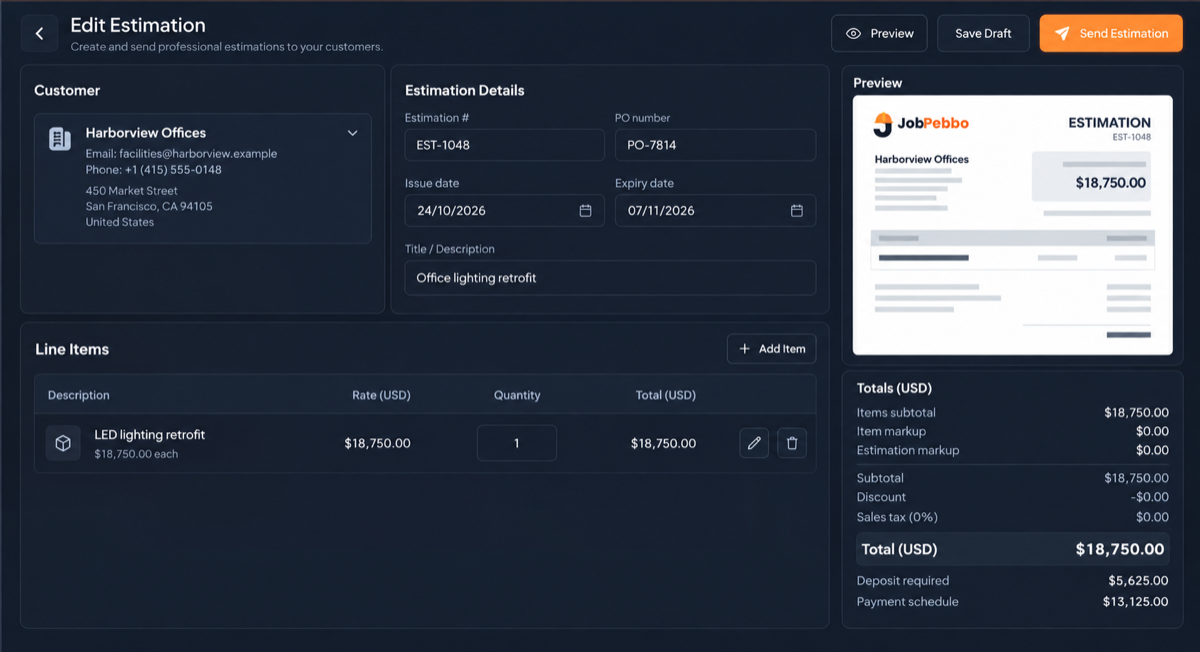
Demo data shown. Brightline Electrical is a fictional business.
Most customers are not comparing quotes on price alone. They are also deciding who seems organised, who has understood the job and who is least likely to cause them trouble later. A clear quote answers those questions before they are asked.
Say exactly what the job includes
A single figure with “supply and fit” beside it forces the customer to guess. Break the work into lines they can read: labour, materials, any call-out charge, removal of old items and anything else that makes up the price.
You do not have to reveal your margin. You can apply a markup per line or across the whole quote and still show clear totals. What matters is that someone comparing two quotes can see what yours covers.
Say what it does not include
Disagreements often start with something both sides assumed. If making good, skip hire, decorating or out-of-hours access is not in the price, put that in the notes. One sentence now is much easier than an argument at the final invoice.
The quote checklist
- Your business name, contact details and any tax number you need to show
- The customer’s name and the address where the work will happen
- A quote number, issue date and expiry date
- Itemised lines with quantities and rates
- Tax shown clearly, so the total holds no surprises
- The deposit and when the remaining payments are due
- Terms, plus what is excluded
- How to accept, ideally in one step
Give it an expiry date
Material prices move and your diary fills up. An expiry date protects you from honouring an old price, and it gives you a natural reason to get back in touch before it runs out.
Make saying yes easy
If accepting means printing, signing, scanning and emailing, some customers will put it off. A private link with an approve button lets them say yes from their phone, at the moment they decide.
Follow up before it expires
A quiet customer has not always said no. They may simply be busy, so a short message a few days before the expiry date is reasonable. JobPebbo shows estimates at risk on the dashboard so you can see which ones to chase. It does not send those reminders for you, so the message itself comes from you.
Keep the version you sent
Quotes get revised. When a customer says “you told me a different price”, you need the exact document they received. JobPebbo saves a version each time you send an estimate, so revised prices do not get mixed up.
Try it on your next job.
JobPebbo is free to use and runs in your browser, with nothing to install.
Common questions
Should I itemise a quote or give one price?
Itemising usually makes a quote easier to trust and compare. You can still apply markup per line or across the quote without showing your margin separately.
How long should a quote be valid for?
It depends on how quickly your material prices change and how far ahead you are booked. Pick a period you can honour and put the expiry date on the quote.
Can customers approve a quote online in JobPebbo?
Yes. They open a private link and can view, download, print and approve the estimate with one click.