A useful first look
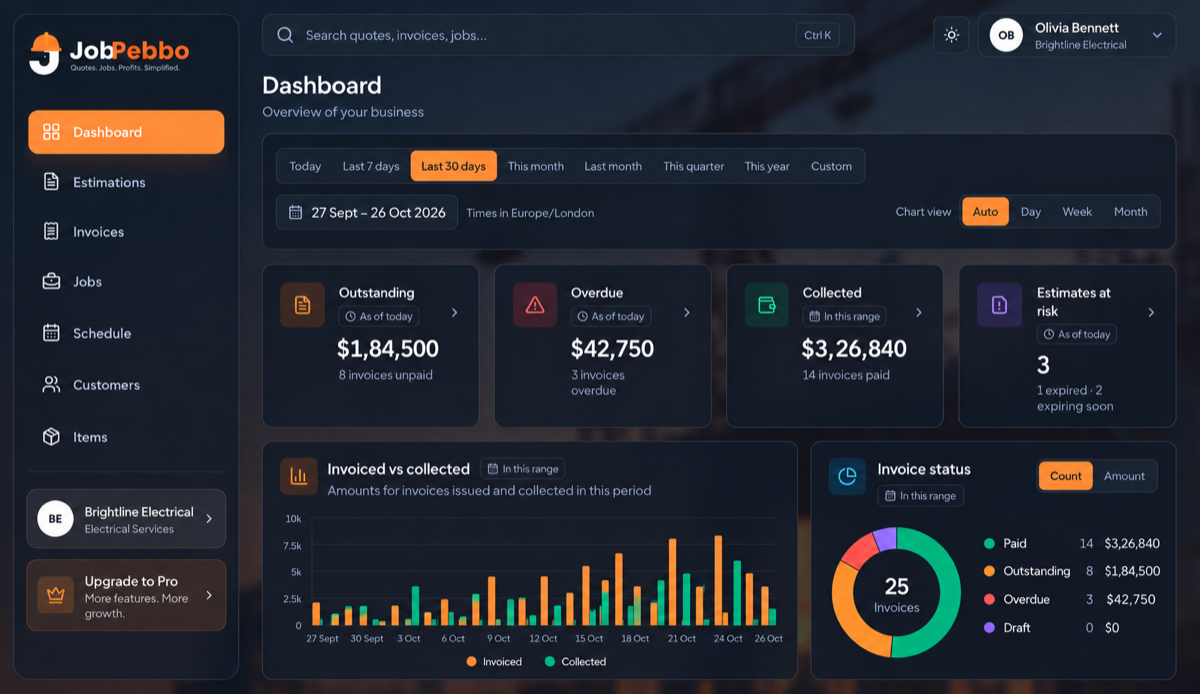
The dashboard leads with what is outstanding, overdue, collected or at risk of expiring.

Dashboard & reports
See the numbers that need attention now, then dig into invoices, estimates, revenue and sales tax.
What you can do
The dashboard leads with what is outstanding, overdue, collected or at risk of expiring.
Move between preset ranges or choose your own dates to understand a specific period.
Review overview, revenue, invoices, estimates and sales tax when you need the detail behind the cards.
Good to know
Overview, revenue, invoices, estimates and sales-tax reports.
Yes. You can choose a custom range or use common presets.
Times are shown in the business’s own time zone.
Free to use
From the first quote to the final payment, keep your jobs and paperwork together.