Set up your price list
Add your business details, taxes, markups and the items and labour rates you quote most often.
Estimate software for contractors
Build itemized estimates from your saved price list, send them as a PDF and private link, and let customers approve online with one click.
What you get
Free to use. Nothing to install.
How it works
Add your business details, taxes, markups and the items and labour rates you quote most often.
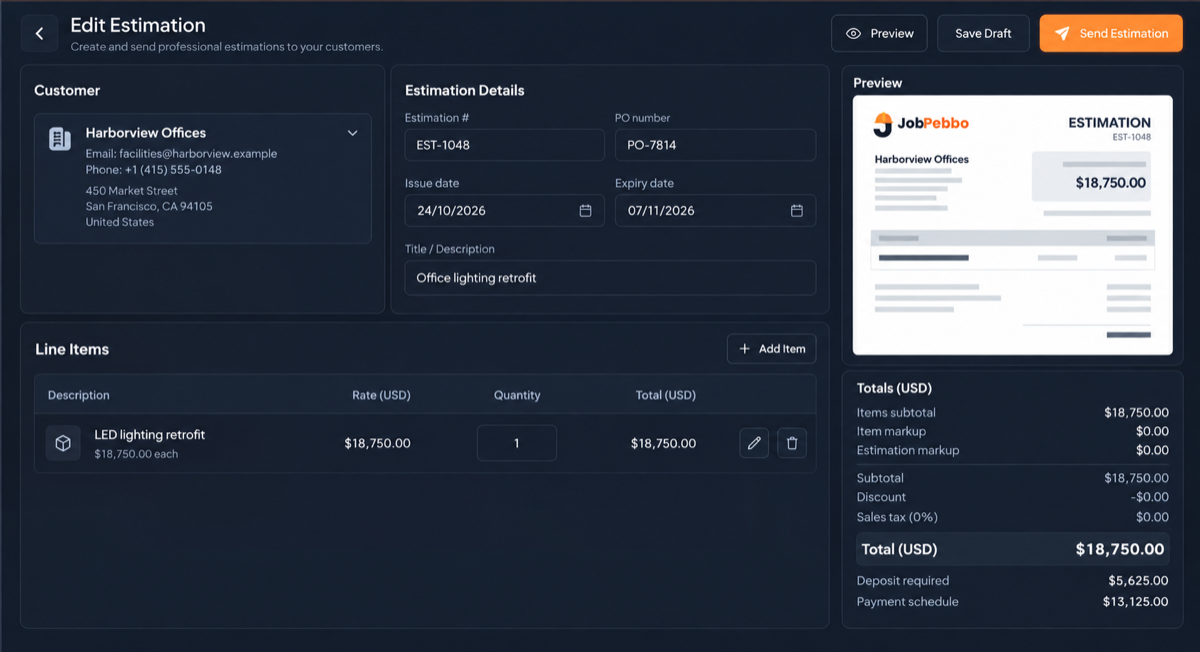
Pick items, adjust quantities, add a deposit and notes, then email the PDF and private link.
The customer approves with one click, the status updates, and the estimate stays linked to the job and invoice.
Quoting from a saved catalogue means the same task costs the same on every estimate, and nothing gets missed when you are quoting late at night.
A clear, itemized PDF with an approve button is easier to say yes to than a price in a text message.
Every time you send an estimate, JobPebbo saves that exact version, so revised prices never get mixed up.
Good to know
Yes. JobPebbo is free to use and runs in your web browser, with nothing to install.
Yes. They open a private link and approve with one click, and the estimate status updates automatically.
Yes. Each line can carry one or more taxes, and there is a sales-tax report for any date range.
Yes. Add a fixed or percentage deposit and a payment schedule for the balance.
Link it to a job, schedule the visit, then invoice the work and record payments, all in the same place.
Free to use
From the first quote to the final payment, keep your jobs and paperwork together.